Deals
Best TV for GTA 6
Contents
Vice City at night is where a TV earns its price: neon over the water, headlights in the rain, a sunset that should hurt your eyes a little. GTA 6 runs at 30 fps on every console, so a faster panel buys you nothing. Brightness, contrast and a quick HDR setup buy you everything.
What GTA 6 actually uses from your TV
Read the spec sheet with this table next to it.
| TV feature | PS5 | PS5 Pro | Xbox Series X | Xbox Series S |
|---|---|---|---|---|
| 4K resolution | Yes, about 1440p upscaled to 4K | Yes, PSSR output close to 4K | Yes, about 1440p upscaled to 4K | No, 1080p output |
| HDR | Yes, in-game HDR calibration | Yes | Yes, HDR10 | Yes, HDR10 |
| 120 Hz panel | No effect on frame rate | No effect | Small help together with VRR | Only matters together with VRR |
| VRR | No effect (works above 48 fps only) | No effect | Smooths dips a little | Same Xbox VRR feature |
| Game Mode / ALLM | Yes, lower input lag | Yes | Yes | Yes |
| HDMI 2.1 | Not needed for GTA 6 | Not needed for GTA 6 | Needed for 4K at 120 Hz with VRR | Optional |
The short version: spend on picture quality and low lag, not on refresh rate.
TV picks on Amazon
Gear from the video
_keys
 Budget pickLG OLED B5 55" (2025)The cheapest way to OLED black levels, with 4K 120 Hz and VRR.See it on AmazonAmazon
 Budget pickTCL QM7K QD-Mini LED 65" (2025)Bright mini LED for daytime gaming, 144 Hz and VRR at a mid-range price.See it on AmazonAmazon
Gear from the video
_keys
 Pro pickSamsung OLED S95H 65" (2026)Anti-glare QD-OLED with huge HDR punch, fast 4K and VRR for PS5 and Xbox.See it on AmazonAmazon
 Pro pickSony BRAVIA 9 II 65" (2026)Sony's HDR flagship: extreme brightness with very accurate colour in games.See it on AmazonAmazon
 Pro pickLG OLED evo G6 65" (2026)LG's brightest OLED: punchy HDR highlights and perfect blacks for night drives.See it on AmazonAmazon
TVs and monitors with 4K 120 Hz
- Pro pickSamsung OLED S95H 65" (2026)Anti-glare QD-OLED with huge HDR punch, fast 4K and VRR for PS5 and Xbox.See it on AmazonAmazon
- Pro pickSony BRAVIA 9 II 65" (2026)Sony's HDR flagship: extreme brightness with very accurate colour in games.See it on AmazonAmazon
- Pro pickLG OLED evo G6 65" (2026)LG's brightest OLED: punchy HDR highlights and perfect blacks for night drives.See it on AmazonAmazon
- Budget pickTCL QM7K QD-Mini LED 65" (2025)Bright mini LED for daytime gaming, 144 Hz and VRR at a mid-range price.See it on AmazonAmazon
- Budget pickLG OLED B5 55" (2025)The cheapest way to OLED black levels, with 4K 120 Hz and VRR.See it on AmazonAmazon
 Pro pickSamsung OLED S99H 65" (2026)Samsung's top OLED: the brightest picture in the range and an anti-glare screen for PS5 and Xbox.See it on AmazonAmazon
 UpgradeLG OLED evo C6 65" (2026)The all-round OLED for consoles: four HDMI 2.1 ports, VRR and low input lag.See it on AmazonAmazon
 UpgradeSamsung OLED S90H 65" (2026)OLED contrast for less than the S95H, with fast 4K gaming and VRR.See it on AmazonAmazon
Show 7 more
 Pro pickSony 65-inch BRAVIA 8 II QD-OLED 4K TVQD-OLED with 4K 120 Hz over HDMI 2.1 and PS5 picture features like Auto HDR Tone Mapping.See it on AmazonAmazon
 Budget pickTCL C7L QD-Mini LED 65" (2026)TCL's cheaper Mini LED with 144 Hz and VRR, good for gaming in a bright room.See it on AmazonAmazon
 UpgradeTCL 65-inch QM8K QD-Mini LED 4K TV (2025)Bright Mini LED with up to 144 Hz, HDMI 2.1, VRR and an anti-reflective screen for daytime play.See it on AmazonAmazon
 Budget pickHisense 65-inch U8 Mini-LED 4K TV (2025)A very bright Mini-LED with a fast panel, so consoles get 4K 120 Hz with VRR.See it on AmazonAmazon
 Black Week pickLG 55-inch C5 OLED evo 4K TV (2025)OLED with 4K 120 Hz, four HDMI 2.1 ports and VRR, so both consoles run Vice City smoothly.See it on AmazonAmazon
 UpgradeLG 65-inch C5 OLED evo 4K TV (2025)The bigger C5: 4K 120 Hz OLED with HDMI 2.1, VRR and deep blacks for Leonida's neon nights.See it on AmazonAmazon
 Black Week pickSamsung 65-inch S90F OLED 4K TV (2025)OLED up to 144 Hz with four HDMI 2.1 ports, so PS5 and Xbox both get 4K 120 Hz.See it on AmazonAmazon
Soundbars
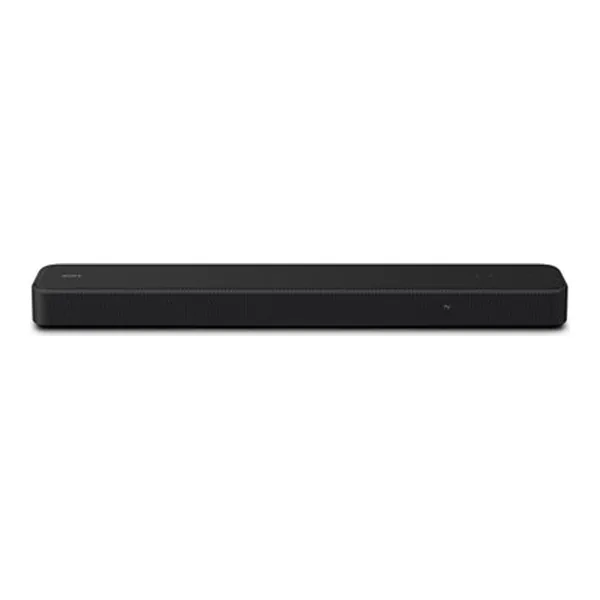 UpgradeSony HT-S2000 Dolby Atmos SoundbarDolby Atmos from a single bar when you play without a headset, and it fits under most TVs.See it on AmazonAmazon
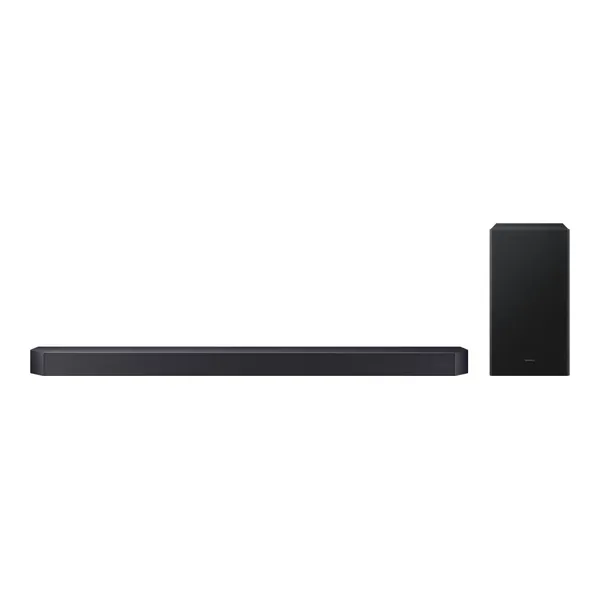 UpgradeSamsung HW-Q600F Dolby Atmos SoundbarAtmos height channels and a sub for big explosions without a full speaker setup.See it on AmazonAmazon
 Pro pickSonos Beam (Gen 2)Compact soundbar with Dolby Atmos and clear dialogue; add a sub later if you want.See it on AmazonAmazon
Prices and Black Friday discounts are on the Amazon product page and can change at any time.
Why HDR matters more than refresh rate
GTA 6 is a 30 fps game on every console, and Rockstar’s technology team says even the PS5 Pro can’t run it at 60. A faster panel can’t add frames that the console doesn’t send.
HDR is different. Leonida is all neon, sunsets and harsh Florida sun, and the game has a full HDR Calibration screen (Display > HDR Calibration) with Max Brightness, Paper White and Black Levels sliders. Max Brightness starts at 600. A TV that can actually hit and hold bright highlights shows that range; a dim budget panel flattens it.
What to look for:
- Real HDR brightness. OLED or a bright mini-LED with local dimming. Edge-lit budget sets struggle with highlights.
- Good blacks. Night drives in Vice City look grey on panels with weak contrast.
- HDR10 support. The Xbox Store lists GTA 6 with HDR10, the base format every HDR TV handles.
The trick: change the 600
GTA 6’s Max Brightness slider starts at 600, and most players never touch it. On a TV that peaks well above that, the sun, neon and headlights stay capped and look flat. Look up your TV’s real peak brightness, set Max Brightness to that number and drop Paper White to around 40 to 50. On a bright set it is the biggest free upgrade you will get.
Which TV if you play on…
PS5 Pro. This is the version where a top TV pays off. PSSR makes the image pass for 4K, the Pro adds ray-traced shadows and holds 30 fps most steadily. Go 4K OLED or bright mini-LED, 55 inches or bigger.
PS5. Same picture advice, one step down: the image is a softer upscaled 1440p, so a mid-range 4K set with good HDR gets you most of the way. Skip paying for VRR, PS5 can’t use it in a 30 fps game.
Xbox Series X. Pick a 4K TV with HDMI 2.1, 120 Hz and VRR. That combination lets the console run GTA 6 in a 120 Hz VRR signal, which makes the sub-30 dips in chases feel a bit smoother. More on the console: GTA 6 on Xbox Series X.
Xbox Series S. The game renders at 720p and outputs 1080p. Any decent 4K TV with Game Mode is fine; a budget model is the smart buy here.
Budget, mid or premium
| Tier | What you get | Best for |
|---|---|---|
| Budget | 4K LED, HDR10, Game Mode, often 60 Hz | Series S, a second room, tight budget |
| Mid | 4K with local dimming or QLED/mini-LED, HDMI 2.1 ports | PS5 and Series X players who want real HDR |
| Premium | OLED or bright mini-LED, HDMI 2.1, 120 Hz, VRR | PS5 Pro and Series X, dark-room night drives |
If you are torn between a bigger budget TV and a smaller premium one, GTA 6 favours the better HDR panel.
Set it up in five minutes
- Use the TV’s HDMI 2.1 port if it has one, with the cable that came with the console. Some TVs only enable full HDMI 2.1 after you switch that port to an enhanced HDMI mode in the TV menu.
- Turn on Game Mode, or let ALLM do it. PS5 and Xbox Series X|S both send Auto Low Latency Mode, so a compatible TV switches to Game Mode by itself.
- Console HDR first. PS5: set HDR to On When Supported and run Adjust HDR. Xbox: Settings > General > TV & display options > Calibrate HDR for games. Xbox also has a 4K TV details screen that shows green checkmarks for what your TV supports.
- Then the game. In Display > HDR Calibration, set Max Brightness to your TV’s real peak, Paper White around 40 to 50 and Black Levels until shadows stop looking grey. Full walk through: GTA 6 best settings.
- Switch off motion smoothing on the TV. It adds lag and makes 30 fps look strange.
Watch out for
- The Xbox 120 Hz glitch. On Series X|S with 120 Hz output, resuming GTA 6 from Quick Resume can drop the 30 fps cap and make the game run at about double speed. Fully quit the game from the Guide and start it again to fix it.
- Voices out of sync on PS5. Rockstar’s own fix is to turn off Auto Low Latency Mode (Settings > Screen and Video > Video Output) and switch the TV to Game Mode by hand. On Xbox it is the opposite: keep Allow Auto Low-Latency Mode checked.
- “60 fps TV settings” videos. No TV setting raises GTA 6 above 30 fps. Motion interpolation only fakes frames and adds lag.
- Crashes on PS5. Some players report fewer CE-108255-1 crashes after setting the PS5 to 1080p output or turning HDR off. It is a workaround, not a fix, so try it only if you crash a lot. More: GTA 6 known issues.
FAQ
Is a 120Hz TV worth it for GTA 6?
Not for GTA 6 alone. The game runs at 30 fps on every console, so 120 Hz only gives a small smoothness boost with VRR on Xbox Series X|S.
Does GTA 6 support HDR?
Yes. GTA 6 has an in-game HDR Calibration screen with Max Brightness, Paper White and Black Levels, and the Xbox Store lists HDR10.
Is OLED good for GTA 6?
Yes, OLED is one of the best choices for GTA 6 thanks to deep blacks and strong HDR. If motion looks choppy at 30 fps, try a little motion blur in the game's Display settings.
Does VRR help GTA 6 on PS5?
No. PS5's VRR only works from 48 fps upwards, and GTA 6 runs at 30, so it has no effect.
Do I need a 4K TV for GTA 6 on Xbox Series S?
No. The Series S outputs GTA 6 at 1080p, so a 1080p or budget 4K TV is enough.
Something not right? Report a mistake