Database
How to Shoot While Driving in GTA 6
Contents
Drive-by buttons (Default scheme)
| Action | PS5 | Xbox |
|---|---|---|
| Draw or holster sidearm | L1 | LB |
| Pick a weapon | Hold L1 | Hold LB |
| Shoot | R1 | RB |
| Aim | Right stick | Right stick |
| Look behind | Hold R3 | Hold right stick |
| Gas / brake | R2 / L2 | RT / LT |
| Door hit, bike kick | Square | X |
On Classic or Left-Handed some buttons move. Settings > Control Scheme shows a diagram for vehicles. All other buttons: GTA 6 controls.
The trick: fire with R1, keep R2 down
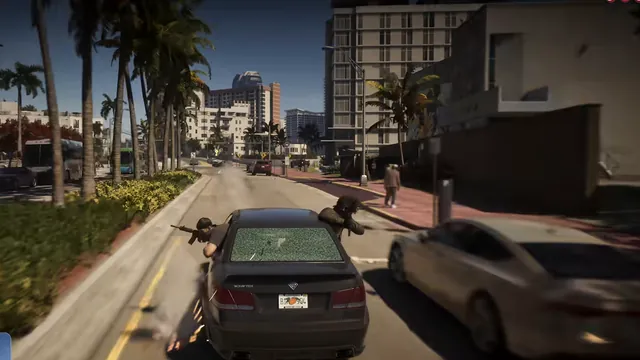
On foot R2 shoots. In a car R2 is the gas pedal, so pressing it to fire only speeds you up. That is why drive-bys sit on R1: keep R2 held the whole time and you shoot at full speed, which is how you leave a chase instead of ending it.
No gun out? Square (X) still works. You hit cars with the door or kick from a bike, and a melee drive-by counts toward the Ten Pin trophy: GTA 6 trophies.
After the shooting
- Holster with L1 (LB). A gun in your hand is something the police recognise.
- Change the car. Police remember the car you shot from. Respray it or swap it: GTA 6 wanted level.
Drive-By Assist and Free Aim
Drive-By Assist is a separate On/Off switch in Gameplay > Combat. Switching Targeting to Free Aim does not turn it off, so the game still locks on for you from the car. Want no help at all? Turn Drive-By Assist off too. Holster in Vehicle sits in the same section. Every aiming option explained: GTA 6 aim assist.
FAQ
How do you shoot from a car in GTA 6?
Draw your sidearm with L1, aim with the right stick and fire with R1. On Xbox it is LB and RB.
How do you do a drive-by on Xbox in GTA 6?
Press LB to draw your gun and RB to shoot. RT stays the gas and LT the brake.
How do you switch weapons in a car in GTA 6?
Hold L1 on PS5 or LB on Xbox and pick a weapon.
How do you turn off drive-by aim assist in GTA 6?
Go to Settings > Gameplay > Combat and set Drive-By Assist to Off. Free Aim alone doesn't switch it off.
Something not right? Report a mistake